


Some blogs mention that they get this message when they use
Connect-MgGraph with 2.34.0 :"NOTE: Sign in by Web Account Manager (WAM) is enabled by default on Windows systems and cannot be disabled. Any setting stating otherwise will be ignored."
However, on my side, I only see:
"WARNING: Note: Sign in by Web Account Manager (WAM) is enabled by default on Windows. If using an embedded terminal, the interactive browser window may be hidden behind other windows."
There is no mention that it cannot be disabled (??).
Even without this mention in my version 2.34.0, the cmdlet shown in my post no longer works. I can understand Microsoft’s strategy, but where is the official announcement of this change (a blog or similar)? This is not a minor change.
If you use the Microsoft Graph PowerShell module to manage Microsoft 365 environments, you may have noticed a change in behavior in recent versions regarding authentication.
WAM by default
For several versions now, the Connect-MgGraph cmdlet has been using WAM (Web Account Manager) by default, an authentication system built into Windows that launches an embedded browser with the message
WARNING: Note: Sign in by Web Account Manager (WAM) is enabled by default on Windows. If using an embedded terminal, the interactive browser window may be hidden behind other windows.
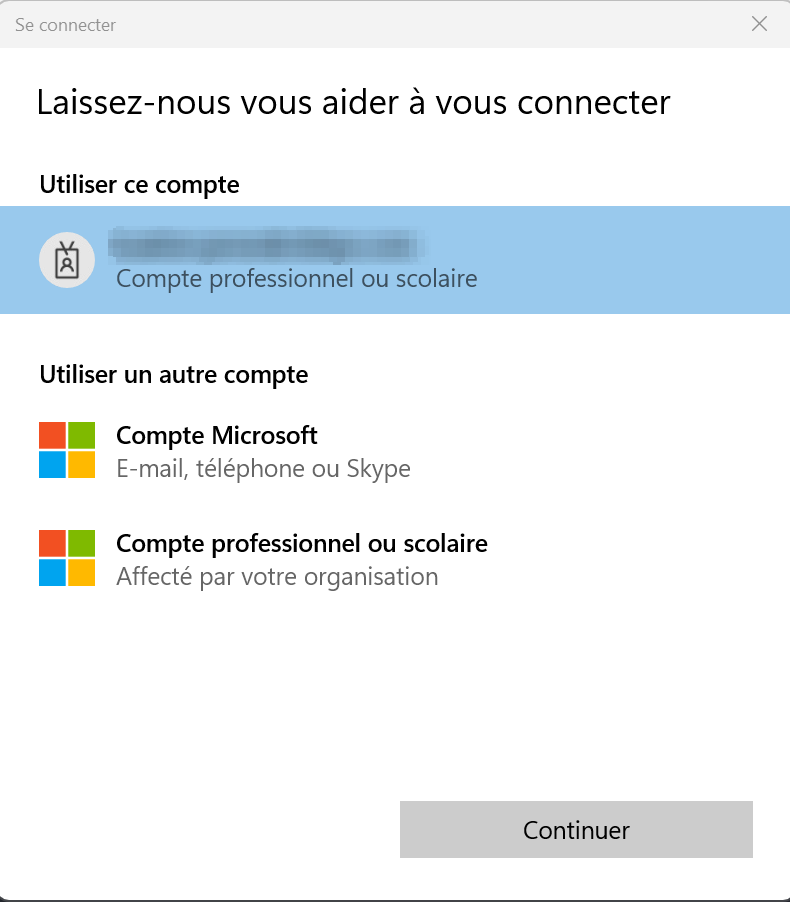
While this feature may appear useful in some situations, it introduces several issues in a context involving the management of multiple customers:
- No automatic filling: Unable to use your password manager to automatically fill in credentials
- No session reuse: Sessions already active in your main browser are not used
- Local traces: Your workstation stores information about client connections, which is not ideal from a security and privacy standpoint
For a consultant or an administrator juggling multiple Microsoft 365 tenants, this user experience quickly becomes problematic (at least from my point of view).
The solution: Disable WAM
Fortunately, Microsoft introduced an option to disable this behavior starting with version 2.33.0 of the module.
If you are using version 2.34.0 or later, please refer to the message at the top of this article, as WAM is now mandatory and cannot be disabled.
You just need to run the following command:
Set-MgGraphOption -EnableLoginByWAM $false
This option forces the module to use the system’s default browser instead of the embedded WAM browser.
You therefore regain the classic authentication experience with all its advantages.

Comments