


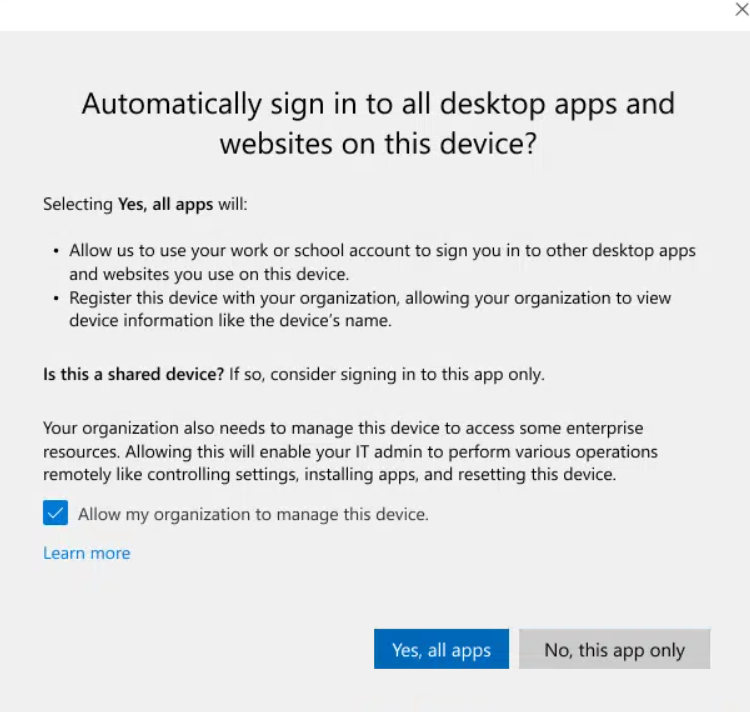
Good news for Intune admins: Microsoft is finally bringing native control over the famous Allow my organization to manage my device prompt that appears when a user adds a work or school account on Windows.
The problem
The problem (especially in BYOD scenarios) was unwanted enrollment, with "unexpected" enrollments on personal machines, when sometimes we only wanted Entra registration (device registration) without full management.
The only solution was to block the enrollment of personal Windows devices in the device platform restrictions. However, this had the effect of limiting Intune enrollment to:
- Autopilot
- PC Hybrid
- Device enrollment manager account
What's changing
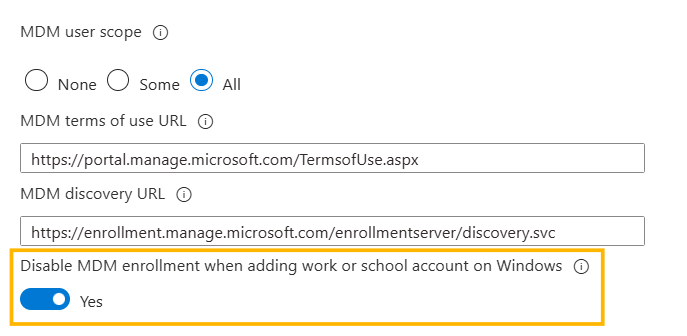
A new setting, in Public Preview, allows you to disable MDM enrollment when adding the account: Disable MDM enrollment when adding a work or school account on Windows (on Microsoft Graph the parameter name is isMdmEnrollmentDuringRegistrationDisabled).
Specifically, it becomes possible to separate:
- device registration in Microsoft Entra ID
- automatic MDM enrollment (Intune)
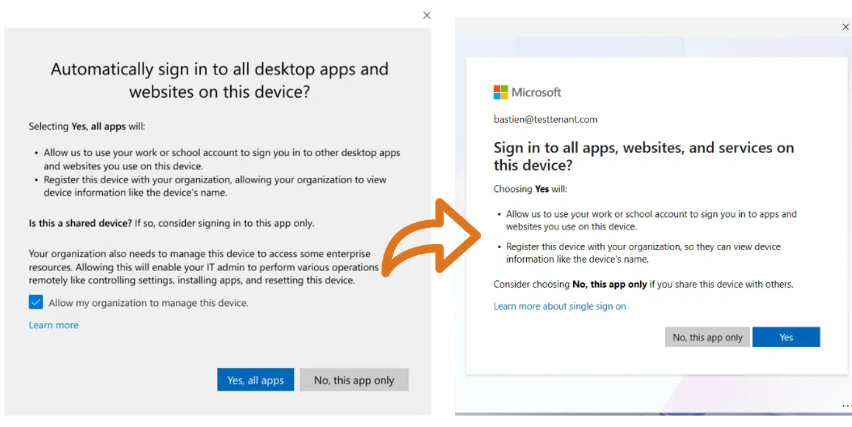
The user will no longer see the pop-up:
Clarification on this new parameter
- It applies to users targeted by the MDM auto-enrollment config
- It concerns Entra registered / Workplace joined devices.
- It mainly targets the "add account" flow via Edge or native apps like Teams, Outlook.
This setting only prevents the MDM enrollment option in this specific flow. A user can still have their device enrolled:
- via Windows Settings (if eligible for auto-enrollment)
- via prompts related to accessing a resource that requires MDM enrollment
How to change this setting
With Powershell
I've implemented it in my PS365 module which is available on PowerShell Gallery:
Install-Module PS365 -Scope CurrentUser

Connect-MgGraph -Scopes 'Policy.ReadWrite.MobilityManagement'

Set-IntuneAutoMDMEnrollmentPolicy -State enabled
Manual method
From the Intune admin center > Devices > Enrollment > Automatic Enrollment > Disable MDM enrollment when adding work or school account on Windows : Yes

Comments