
ChatGPT Cleaner: bulk delete and archive conversations

Table of Contents
No matching heading
ChatGPT lets you delete or archive conversations, but only one at a time. There is no "select all", no shift-click range, no bulk action in the sidebar. Cleaning out a couple of years of throwaway chats turns into a click-confirm-wait loop.
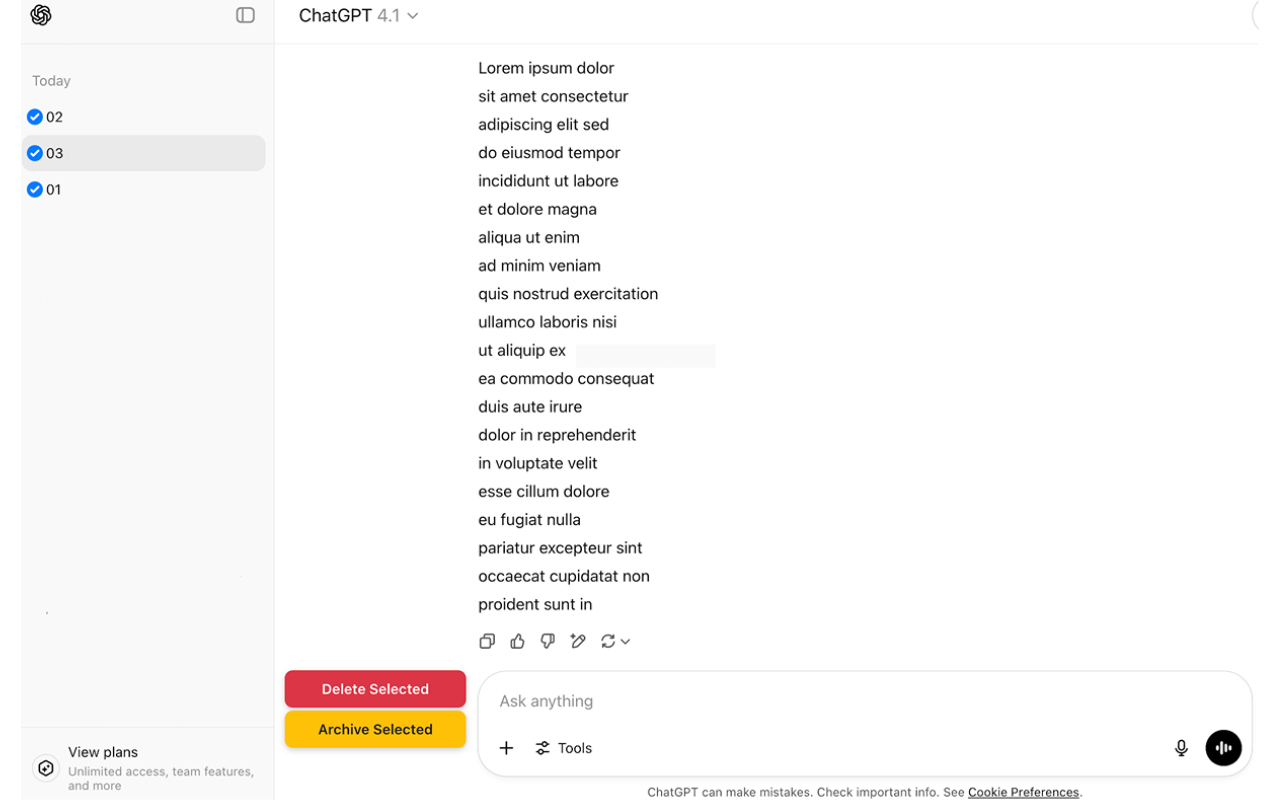
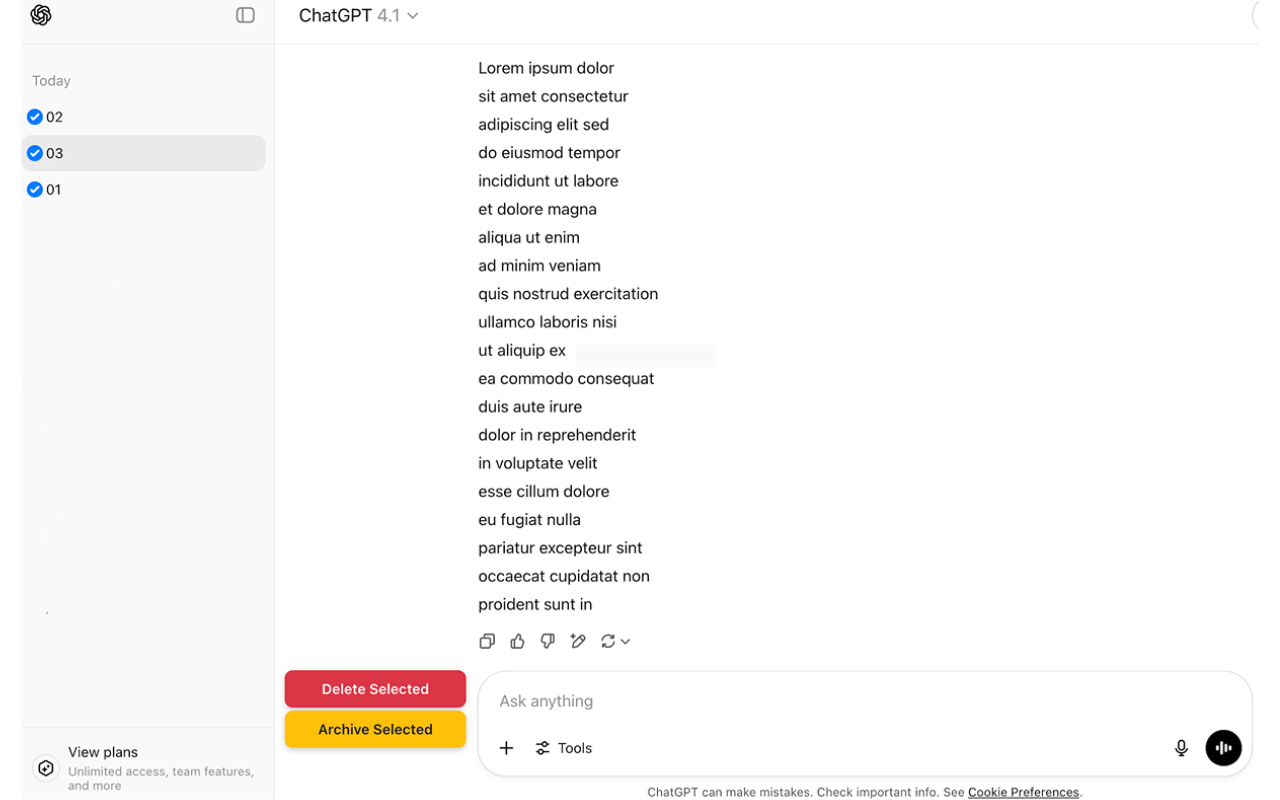
ChatGPT Cleaner is a Chrome extension that adds bulk delete and bulk archive to the ChatGPT sidebar. Hover a conversation, get a checkbox. Pick a range with Shift+Click. Hit Delete Selected or Archive Selected, watch a progress bar do the rest.
It works on both the standard chat list and inside ChatGPT Projects.
What it does
- Checkboxes on every conversation in the sidebar. They show up on hover so the normal UI stays clean.
- Shift+Click range selection: click one checkbox, hold Shift, click another, everything in between is selected.
- Two bulk actions:
- Delete Selected — permanent removal (blue progress bar).
- Archive Selected — keeps the conversations accessible under Settings → Archived chats (yellow progress bar).
- Real-time progress indicator so you know how many of N have been processed and can leave the tab alone.
- Works in both modes: the regular chat list and conversations inside ChatGPT Projects (custom GPTs). The checkboxes adapt to whichever view you are on.
Privacy
The extension runs entirely in the browser:
- 💡 No data leaves your machine. The extension acts on ChatGPT's own delete and archive endpoints exactly the way the official UI does, just in a loop.
- No tracking, analytics, or telemetry.
- The manifest declares zero permissions other than running a content script on
chatgpt.com. - It does not read message content; it only operates on the conversation list.
Install

Works on any Chromium-based browser (Chrome, Edge, Brave, Arc, Opera).
Use it
- Open ChatGPT.com.
- Hover a conversation in the sidebar — a checkbox appears on the left.
- Click the checkboxes for the conversations you want to clean up. Shift+Click to grab a range.
- The action bar at the bottom shows Delete Selected and Archive Selected with the current count.
- Pick one. The progress bar tracks each operation.
⚠️ Delete is permanent. ChatGPT does not have a trash. If you are not sure, use Archive Selected instead — archived chats remain in Settings → Archived chats → Manage and can be restored.
When to use it
- New laptop or new account, importing nothing, want to start clean.
- Old throwaway prompts from a year of experimenting with the model.
- A ChatGPT Project that accumulated dozens of short test conversations.
- Periodic clean-up to keep the sidebar usable.
See also
If you also use Claude.ai, the sibling extension does the same bulk-delete job there.