Entra: from November 4, your users can create agent identity blueprints

· 1 min read
Table of Contents
No matching heading
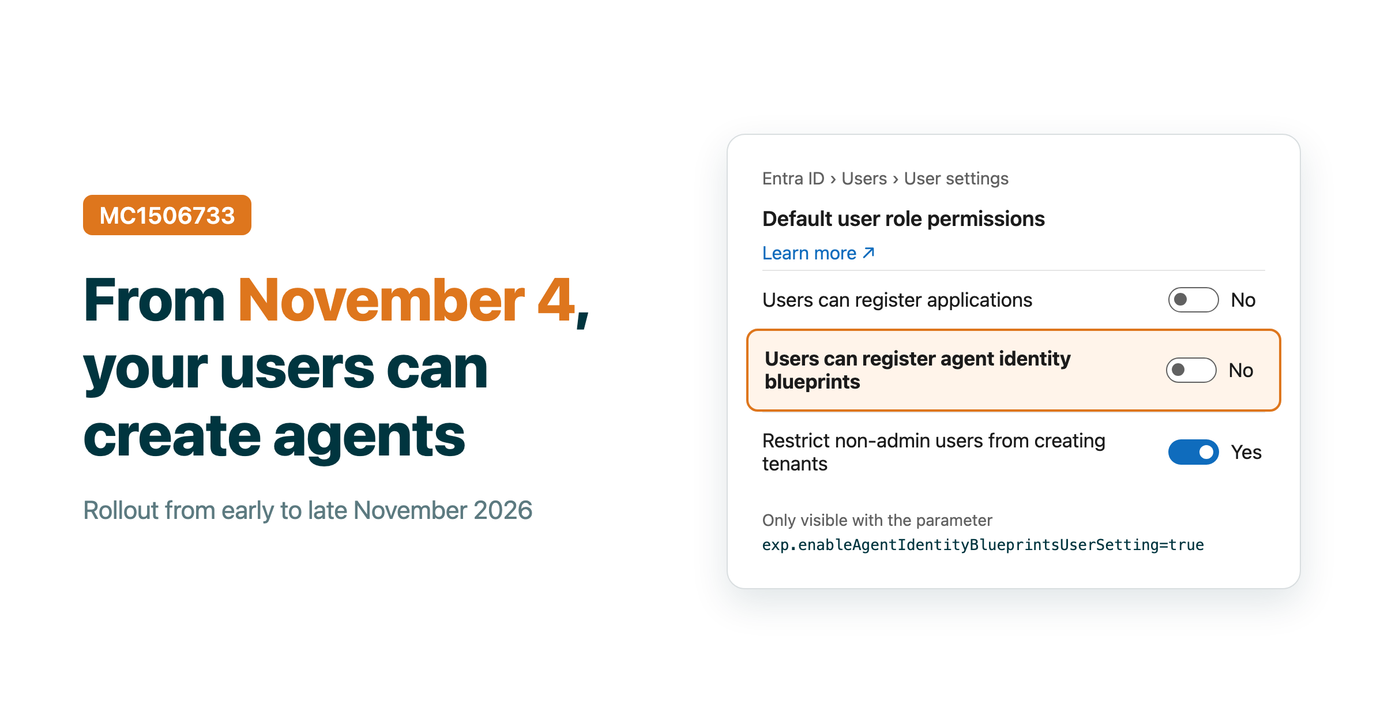
Message center post MC1506733 changes a default in Microsoft Entra. From November 4, 2026 (rollout until late November), users without an Entra role can create agent identity blueprints, and so agent identities, unless an admin turns the setting off.
Turn it off in the portal
The setting does not show yet in Entra ID > Users > User settings. Open the page with this direct link, otherwise you will not see the toggle:
Under Default user role permissions, set Users can register agent identity blueprints to No, then Save.
The change applies when the rollout starts, not right away, so you can set it now.
Or with PowerShell
$params = @{
    defaultUserRolePermissions = @{
        allowedToCreateAgentIdentityBlueprints = $false
    }
}

Invoke-MgGraphRequest -Method PATCH -Uri "https://graph.microsoft.com/beta/policies/authorizationPolicy/authorizationPolicy" -Body ($params | ConvertTo-Json -Depth 10) -ContentType "application/json"
What does not change
- Existing blueprints stay as they are.
- Supported admins and users with the Agent ID Developer role can still create blueprints.
- This setting is separate from Users can register applications. Check both.
Sources: MC1506733